Back to Blog
Rendering 01 Şub 2025 Editorial Team
LumionRenderingArchitectural VisualizationReal-timeGuide
Lumion Quick Render Guide 2025
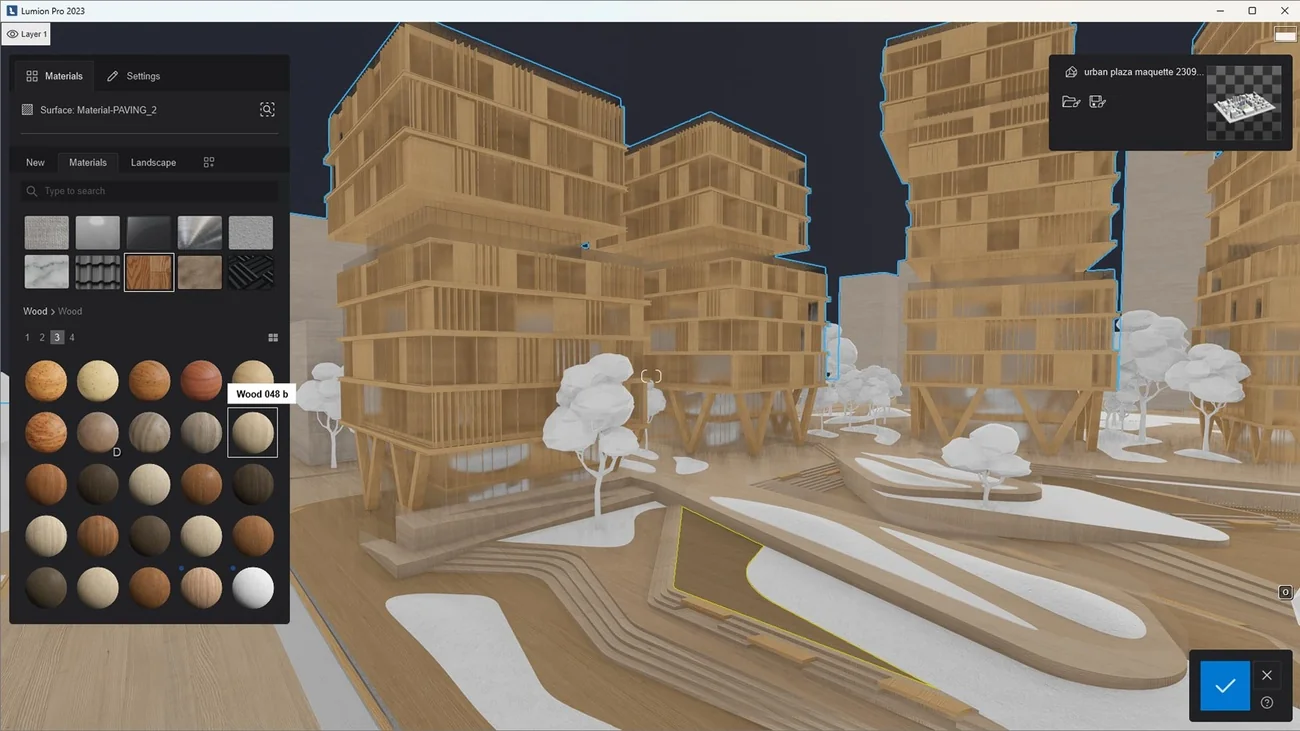
Lumion Quick Render Guide 2025
Lumion is one of the most popular real-time rendering tools for architects. This guide covers practical tips to get fast, presentable results.
Why Lumion for Quick Renders
- Real-time preview: See changes to materials and lighting as you work.
- Large asset library: Trees, people, and furniture without leaving the app.
- Direct BIM/CAD links: LiveSync with Revit, SketchUp, Rhino, and ArchiCAD keeps your model and Lumion in sync.
Workflow Tips
- Optimize the model: Reduce polygon count where possible; use proxy objects for heavy geometry.
- Use layers: Organize objects and effects in Lumion layers so you can toggle them for different views.
- Start with presets: Use built-in styles and then tweak lighting and atmosphere.
- Export settings: For quick reviews, use lower resolution and fewer samples; increase for final marketing images.
When to Use Lumion
Lumion excels at speed and ease of use. Use it for client meetings, design reviews, and marketing visuals when you need results in hours rather than days. For photorealistic ray-traced finals, pair it with careful lighting and post-processing or consider V-Ray/Enscape for specific workflows.
For more software options, see our Best Architecture Software Tools and Real-time Rendering guides.